 Mad
Everything except the AI is free.
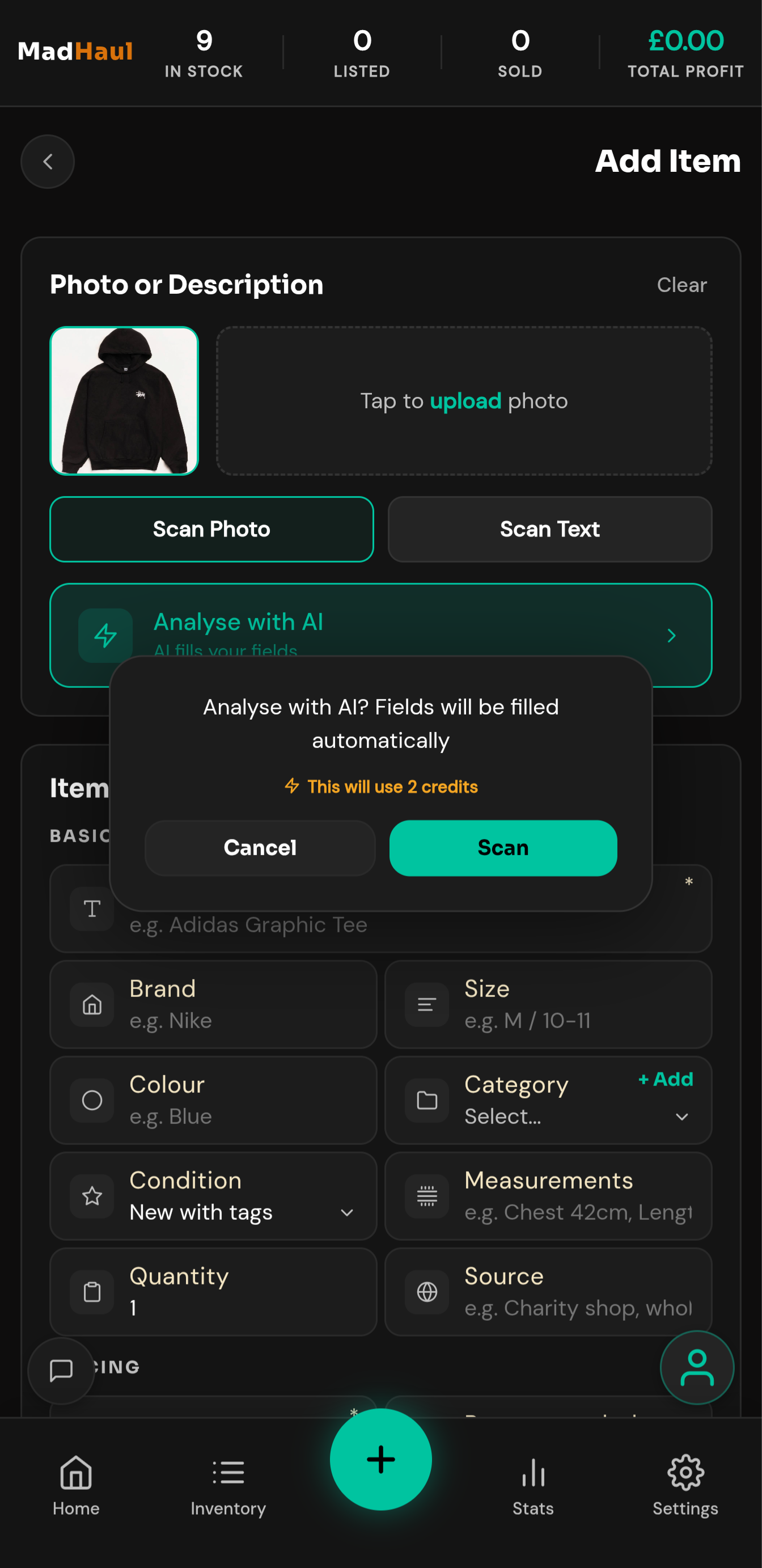
Your inventory, bundles, stats, calculator, exports and backups are unlimited, forever. Credits cover the five actions that send something to the AI, and you see the cost before each one spends.
Start with 10 credits
£0
10 credits the first time you sign up
Nothing is held back for a paid version. Every non-AI part of the app is unlimited from the day you sign up — inventory, bundles, stats, reports, the sourcing calculator, the activity log, exports and Google Drive backup. Credits only cover the AI, and the 10 you start with don’t reset and don’t expire. They go with the email address rather than the account, so they’re given once per address — signing up again with the same address doesn’t bring them back.
What 10 credits gets you
- 5 item scans
- Or 10 listings
- Or 10 price checks
- Or a realistic mix — 3 item scans and 4 listings
Credits never expire, bought or free. There’s no deadline to use them by and nothing lapses if you take a month off.
Enough to get a first haul photographed, written up and listed.
Credit packs
One-off packs, never a subscription. Each is priced by what it actually gets done, because “50 credits” means nothing until you know a scan costs two of them.
The Quick Grab
About 12 item scans
£1.99
25 credits
- or 25 listings
- or 25 price checks
- A small top-up to keep going
The Steady Haul
About 25 item scans
£2.99
50 credits
- or 50 listings
- or 50 price checks
- A few weekends’ worth
The Full Haul
About 60 item scans
£5.99
120 credits
- or 120 listings
- or 120 price checks
- A whole haul, start to finish
The Long Haul
About 160 item scans
£14.99
320 credits
- or 320 listings
- or 320 price checks
- Buy once, forget about it
The price you see is the price you pay. MadHaul isn’t VAT registered, so nothing is added at checkout.
Your free credits are spent first. Your signup 10 go before any credits you’ve bought, so a pack isn’t touched while you still have free ones left.
Payments are handled by Stripe. Card details go to Stripe, never to MadHaul.
What each action costs
Set on our side and sent to the app with your balance, so the number in the app is always the real one.
Uses credits
- Scan an item, by photo or text 2
- Generate a bundle listing 2
- AI bundle suggestion 2
- Generate a listing 1
- Price check 1
Free and unlimited
- Inventory management and photos
- Bundles
- The 15%-off bundle price suggestion
- In-app bundle grouping (no AI call)
- Stats, reports and PDF export
- Sourcing calculator
- Activity log and home insights
- Exports, backups and Google Drive backup
Three things you should know before you spend one
A failed request is refunded automatically
If the AI errors, returns something unusable, or returns nothing you can apply, the credit goes back on its own. You don’t have to ask and you won’t get a notification about it — you’ll just see your balance unchanged.
A cancelled request is not refunded
The credit is spent before the request is sent, and the cost is incurred the moment it reaches Google. Cancelling stops the app waiting for an answer; it does not undo the charge. This is deliberate, not a bug, and it’s the one thing on this page most likely to surprise you.
Running out stops the action cleanly
No half-results, no invented fallback listing, no failed record saved to your history. You get one message and your balance refreshes. Inside a batch scan it stops immediately rather than burning through every remaining item with the same error.
Our refunds page covers this in full.