 Mad
The haul was the easy bit.
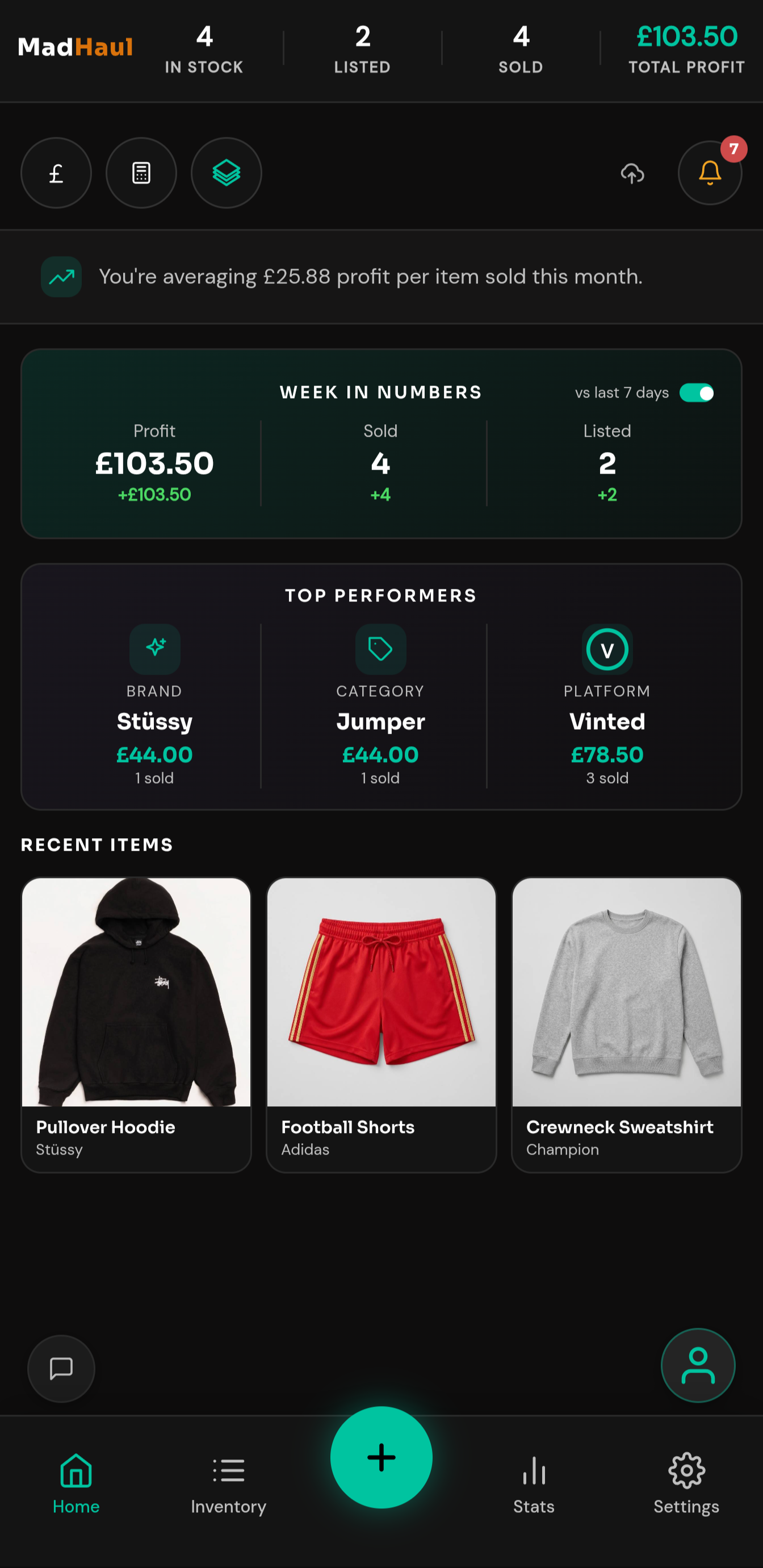
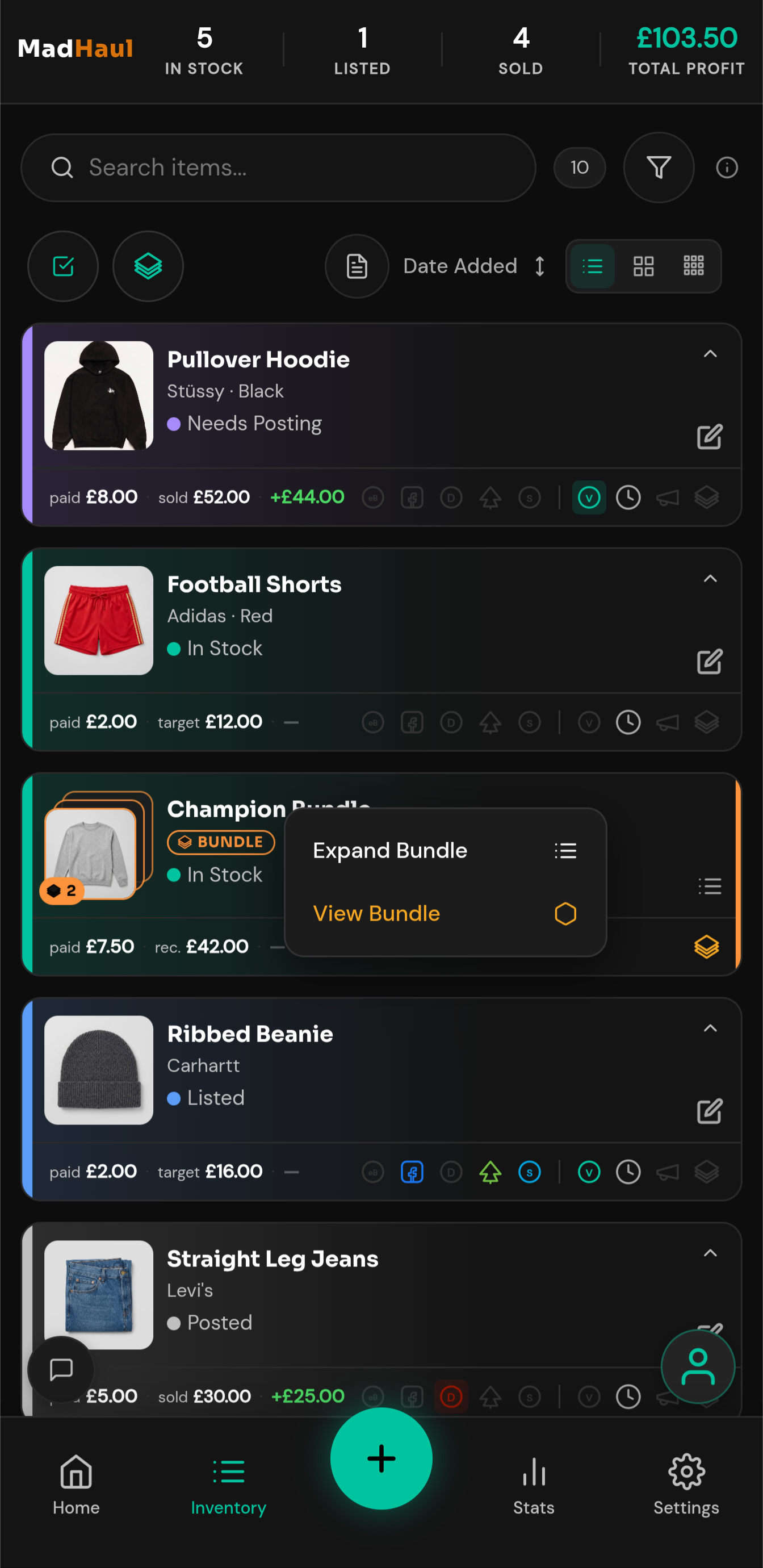
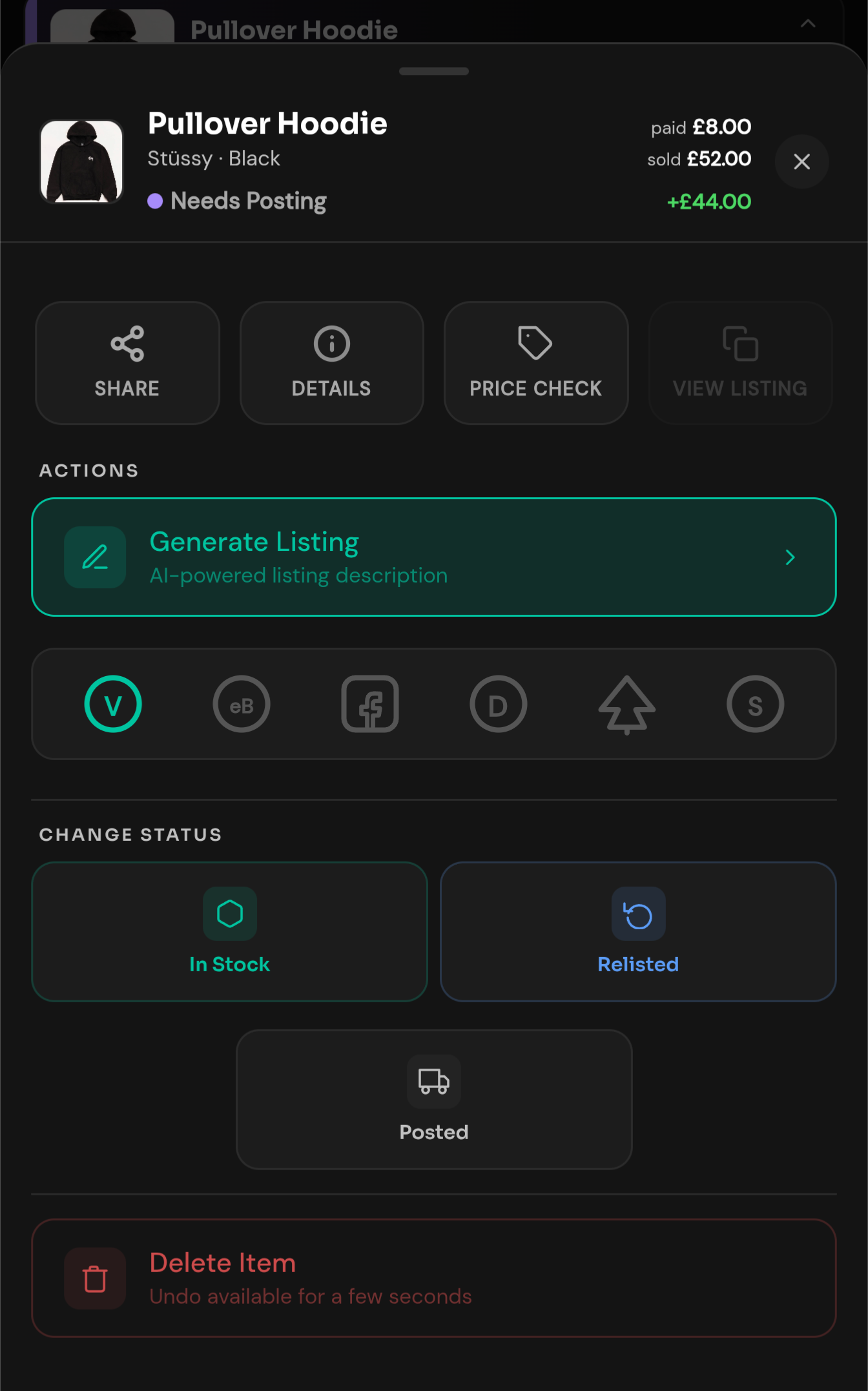
Photograph what you bought and MadHaul writes the listing — title, description, price, ready to paste. It tracks every piece from haul to sold, so you always know what you’ve got and what you made.
The problem
Three things that stop you listing.
Sourcing is the fun part. Everything after it is admin, and admin is where a good haul goes to sit in a bin bag for a month.
- “The writing is the bit I put off.” Thirty items means thirty titles, thirty descriptions and thirty attempts to sound enthusiastic about a fleece. See how the listing gets written →
- “I’m stood in the shop with no idea if £15 is a good price.” You either buy on a hunch or you put it back and wonder about it later. See the price estimate →
- “I couldn’t tell you what I actually made last month.” Some of it’s listed, some of it’s in a bag, some of it sold in March. None of it’s written down. See the numbers →
The listing
The write-up, done in one tap.
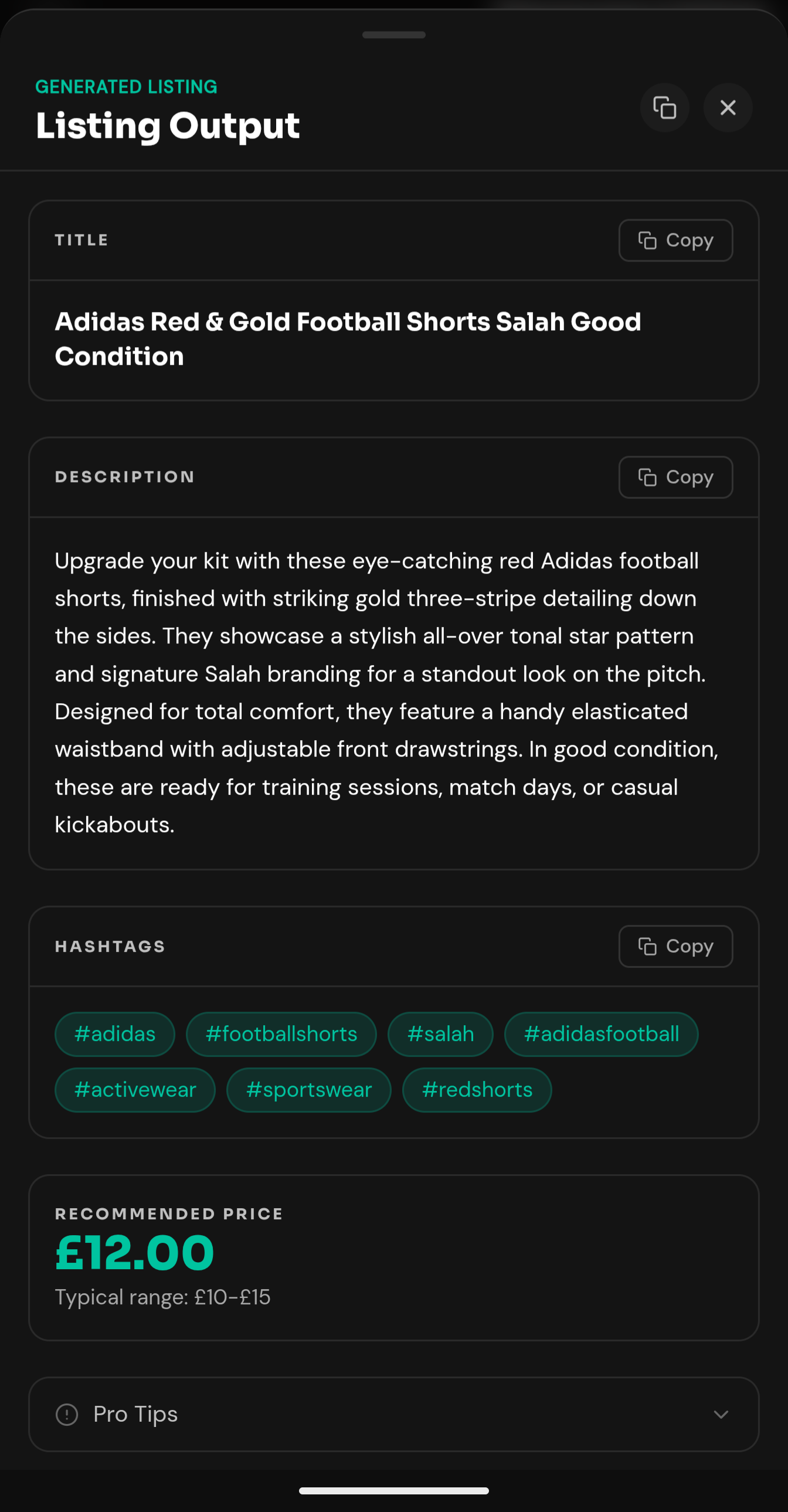
Title, description, hashtags, price. Written for the platform you’re selling on, in the tone you picked, ready to copy block by block.
In the shop
Know what it’s worth while you’re still holding it.
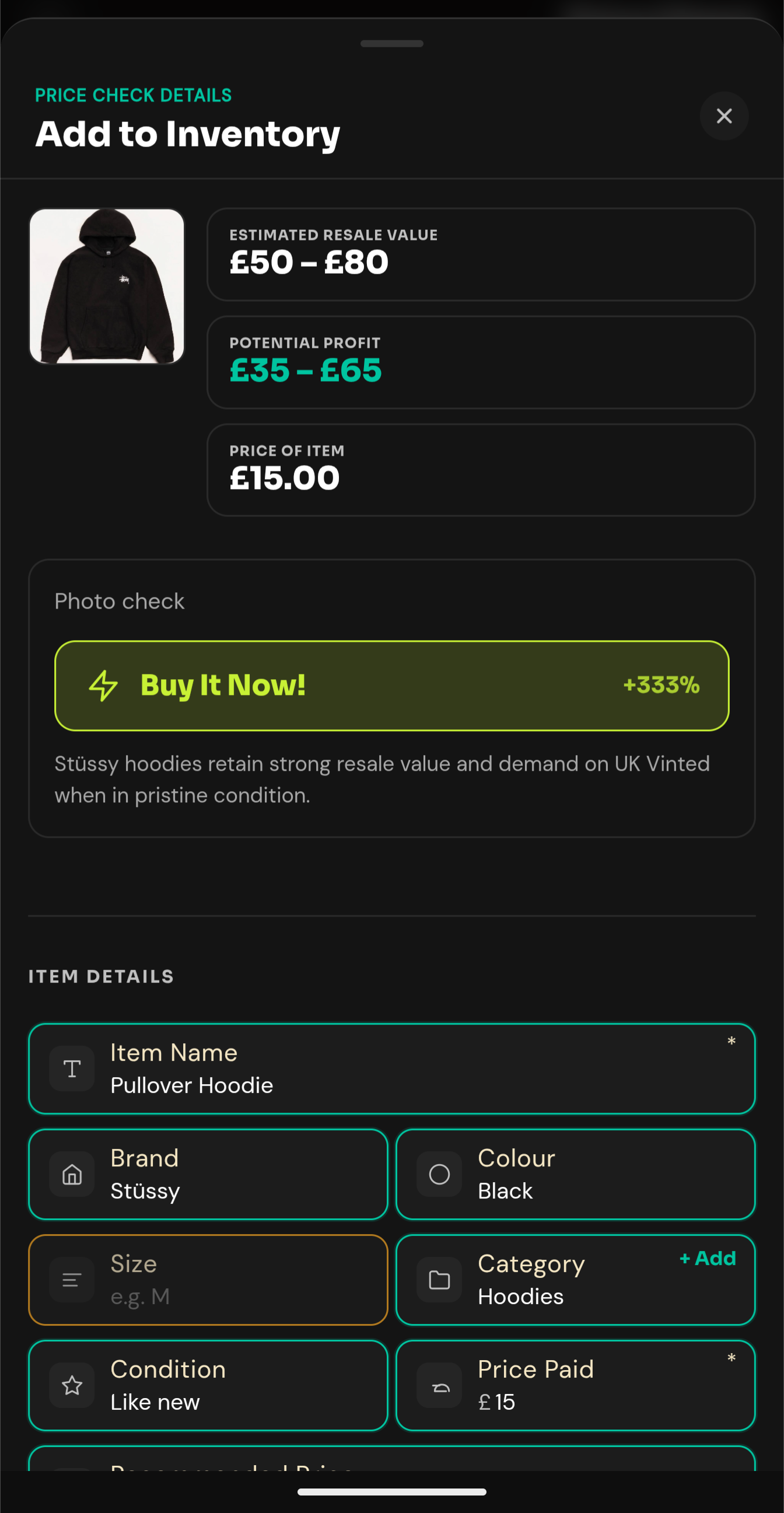
Photograph it on the rail, enter what they’re asking, and get an estimated resale value, your likely profit and a straight verdict — before you hand over any money.
An estimate from what the AI knows, not a database of sold listings. Always worth a second look.
The numbers
What you actually made.
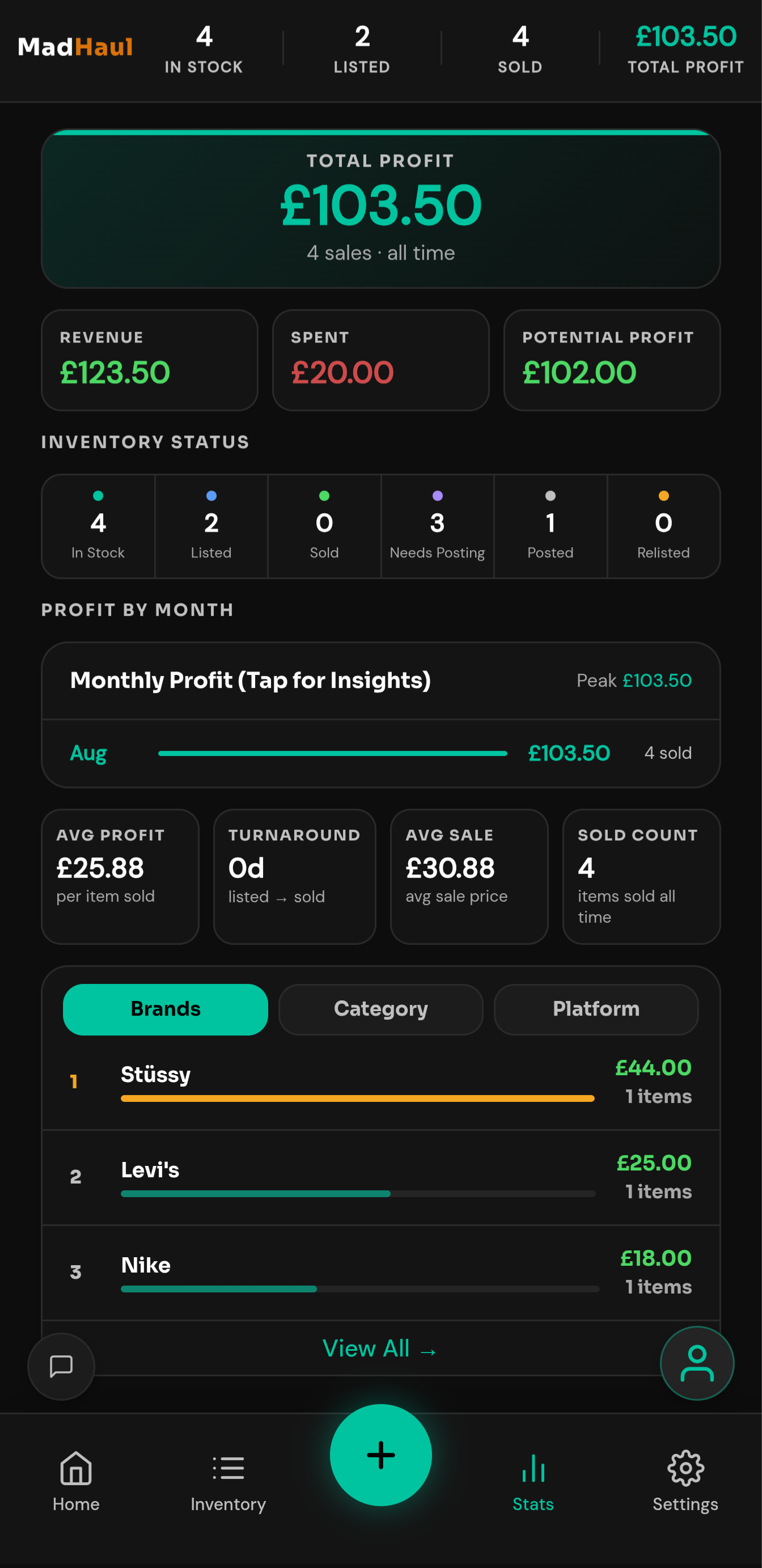
Profit over seven days, thirty days, or the whole time you’ve been doing this. Which brands earn. Which platform pays. No more working it out from memory and a bank app.
Every sale is written to a permanent log. Edit an item next month and your history stays as it was.
What costs what
Only the AI costs anything.
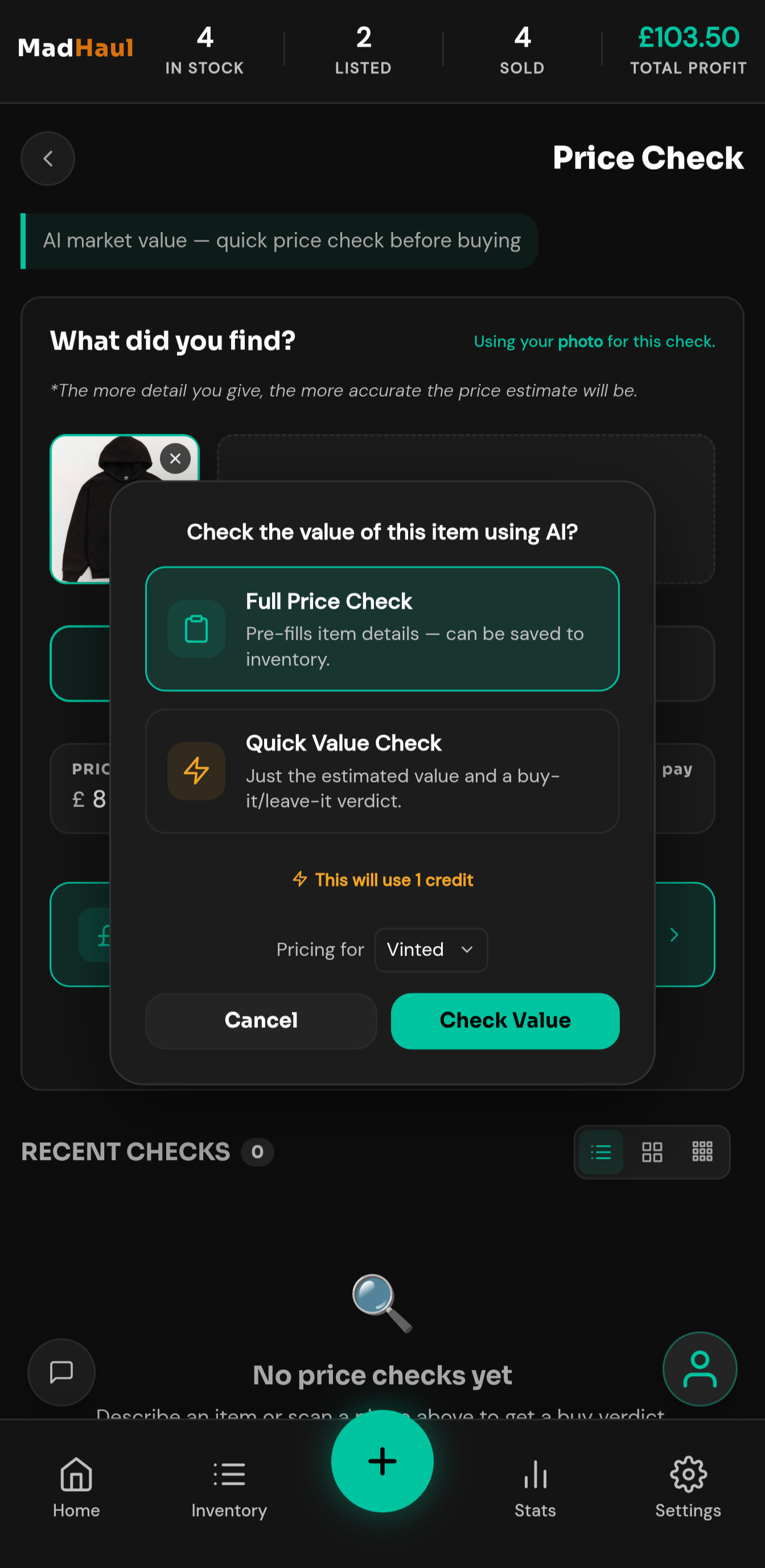
Your inventory, bundles, stats, calculator, exports and backups are free and unlimited. Five AI actions cost credits, and each one shows you the price before it spends a thing.
Questions
The things people ask.
Does MadHaul post to a marketplace for me?
No — it writes the listing, you copy and paste it in yourself, every single time. MadHaul never logs into a marketplace, never posts on your behalf and never automates anything on any platform. If something goes live, you’re the one who pressed the button.
Is MadHaul connected to any marketplace?
No. MadHaul’s independent — not affiliated with, endorsed by, or connected to Vinted, eBay, Facebook Marketplace, Depop, Gumtree or Shpock. It just stores the listing links you paste in yourself, nothing more.
Where is my data kept?
On your device. Your inventory, photos, sales and listings live in your phone’s own storage, never on our servers. The only things that ever leave: the one item you’re analysing, sent to Google Gemini for that request, and your backup file, sent to your own Google Drive if you connect it. Your email address and credit balance sit with Supabase so you can sign in. The full data story, or the privacy policy for every processor named.
What happens if I get a new phone?
Restore from your Google Drive backup, or import the JSON file you exported. Without one of those, your inventory doesn’t come with you — there’s no copy sitting anywhere else. Worth setting up on day one, not day ninety. How backup works.
Does it work offline?
Mostly, yes. Viewing and searching your inventory, adding and editing items by hand, taking and viewing photos, bundles, the sourcing calculator, stats, the activity log and exports all work with no connection at all. The five AI features, signing in and Google Drive backup need one — offline, the app tells you so rather than failing quietly.
What’s free and what costs credits?
Everything except the AI is free and unlimited — no feature restrictions anywhere, and you start with 10 one-off credits the first time you sign up. A price check or a listing costs 1 credit; scanning an item, an AI bundle suggestion or a bundle listing costs 2. See the pricing page.
How accurate are the prices?
They’re estimates, and they can be wrong. The AI’s asked what something’s worth on the UK platform you picked and answers from what it already knows — no scraping, no sold-listings database, no live connection to any marketplace’s prices. Treat it as a second opinion, not a verdict. You’re always the one who checks it before it goes anywhere.
Can I use it on a computer?
MadHaul is built mobile-first and portrait-first, and installs to your home screen from the browser. It will open in a desktop browser, but it isn’t designed for one — the layout is built for a phone held upright, which is where you’ll actually be photographing items. Leave your browser’s “Request desktop site” setting off; it breaks the layout.