 Mad
How MadHaul works
Three steps per item, and the same three every time. Here is what happens at each one — and, just as usefully, what doesn’t.
Before you start
One item, or the whole haul.
If you’ve got one thing, add it on its own. If you’ve come back from a car boot sale with thirty, build a stack of cards, photograph each one, and scan the selection in a batch — the app works through them and reports how many succeeded.
Either way, everything autosaves as a draft as you go. Put your phone down halfway through and it’s still there when you come back.
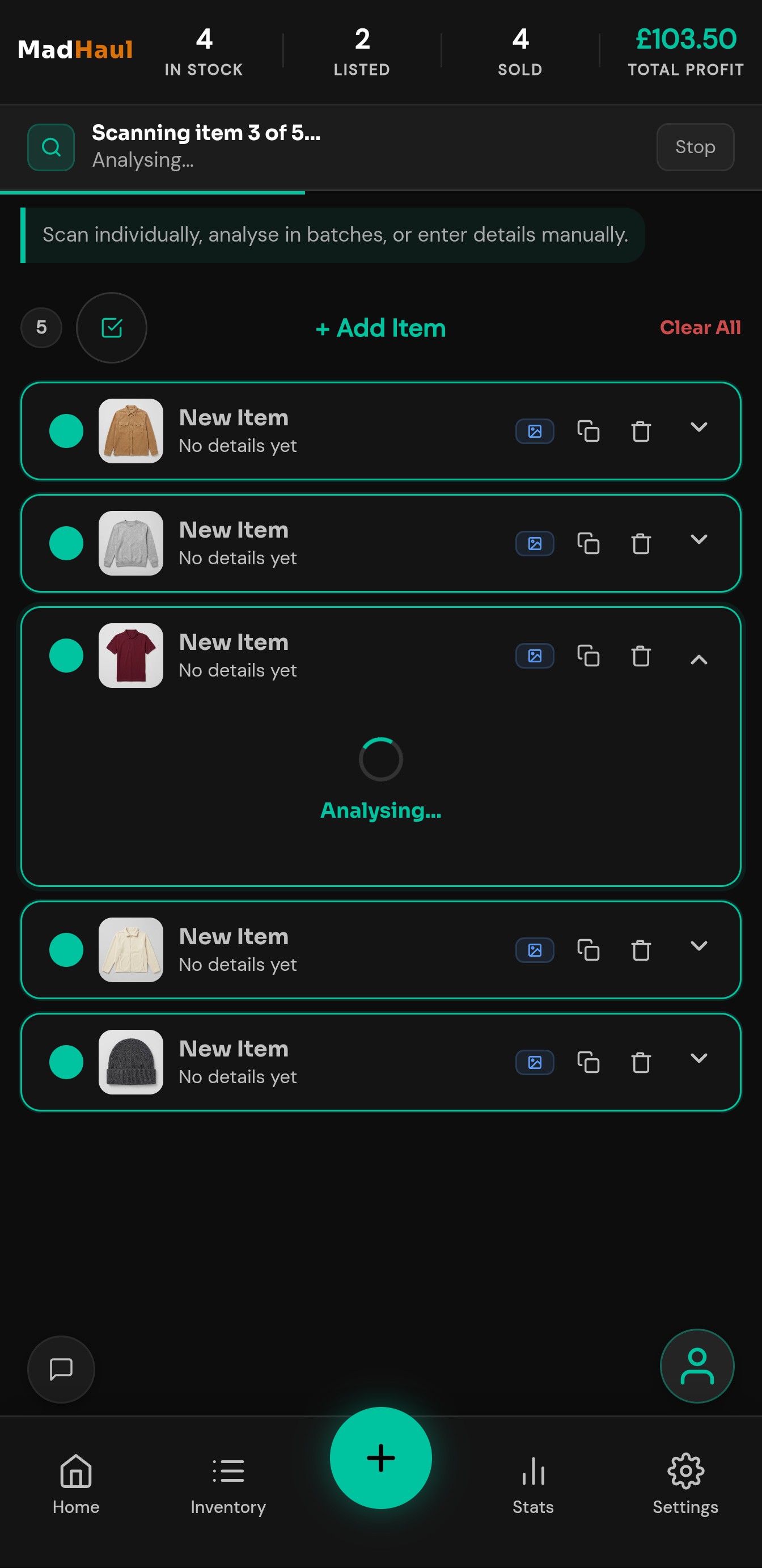
Photograph it.
- Tap Analyse — the form fills itself in: name, brand, category, size, colour, condition, seller notes and measurements.
- Or type a line of description, if the photo isn’t telling the whole story. It works from that instead.
- Teal means the AI filled it — amber means it couldn’t, so you know what still needs you rather than discovering a wrong size after it sells.
- Add what you paid, correct anything that’s off, and save. You can skip the AI entirely and type the lot yourself — the scan is a shortcut, not a requirement.
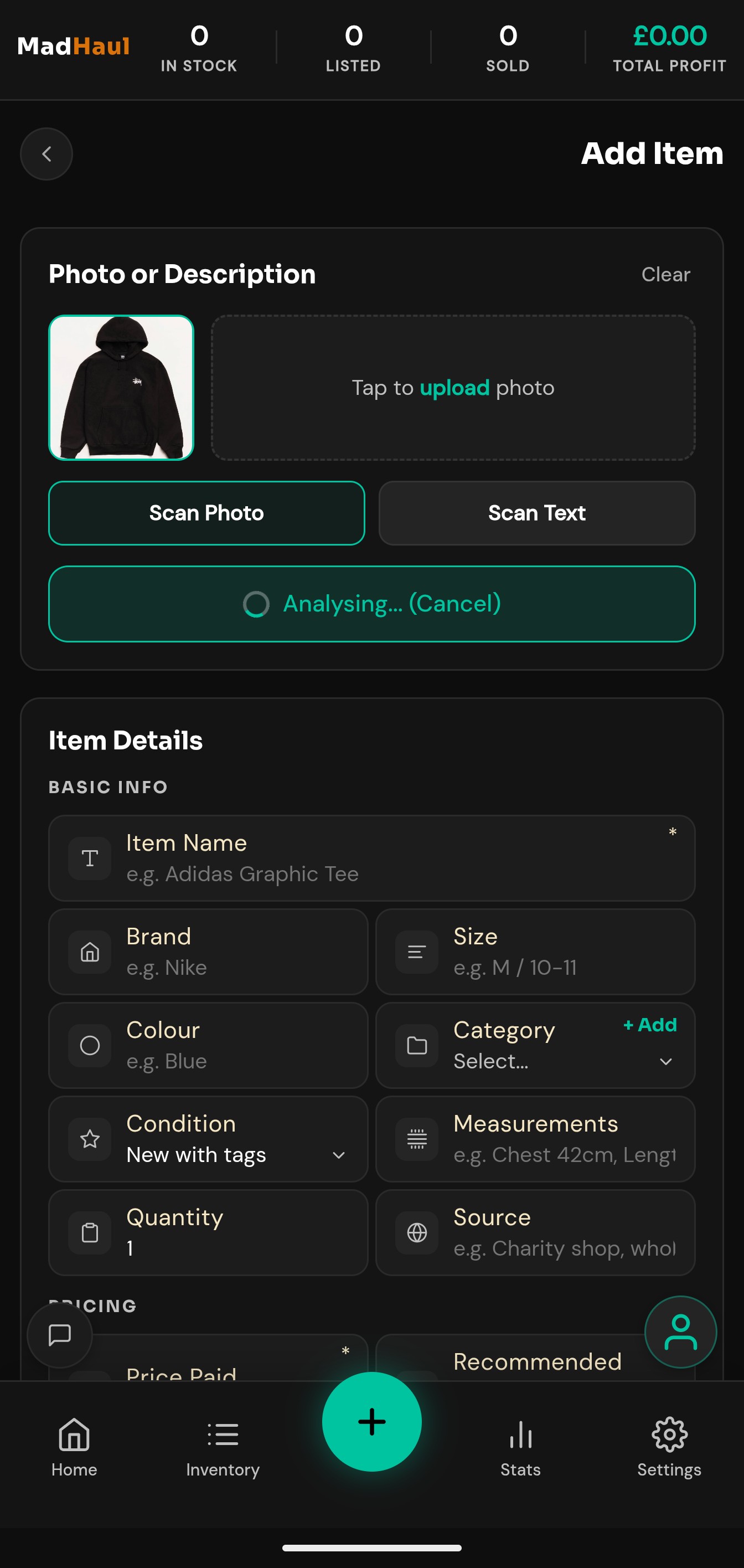
You’re told the cost first. Scanning an item uses 2 credits — the confirmation says so before it runs, and cancelling there costs nothing. What’s free and what isn’t.
Generate the listing.
- You get a title under 80 characters, a description, hashtags, a recommended price and a typical range. Each block has its own copy button, so you take them across one at a time.
- Pick the tone once in Settings — Friendly, Detailed or Short — and every listing after comes out the same way. Turn hashtags off for good if they’re not your thing.
- The write-up targets whichever of the six platforms you’re selling on, set as a default or switched for a single listing.
- Then you open the marketplace and paste it in. Save the listing’s URL back against the item and its card carries an icon for the platform it’s on.
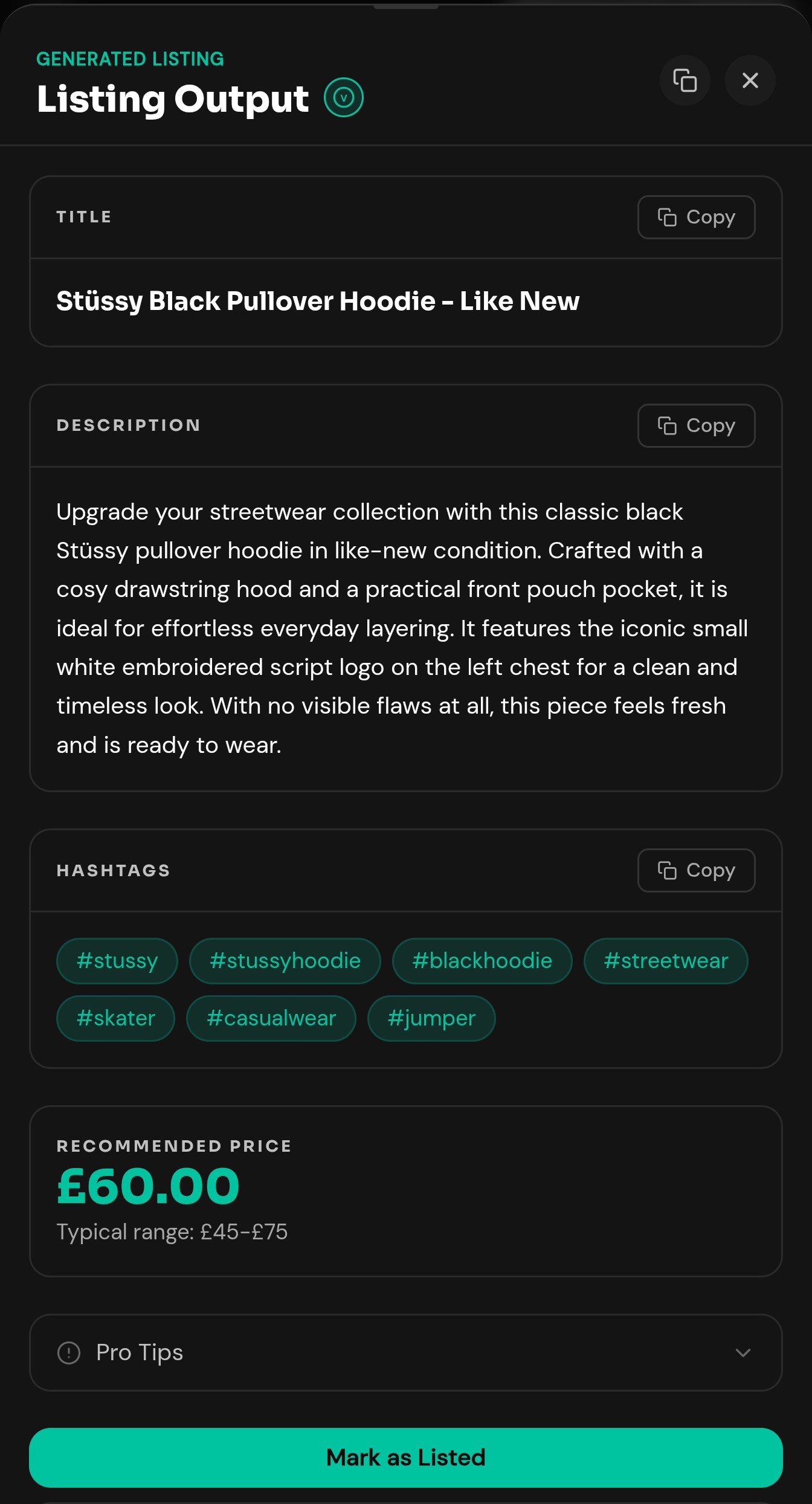
Written from the fields, not the photo. Listing generation sends the item’s details, not its picture — so the more you filled in at step one, the better the description reads.
Mark it sold.
- Say what it went for and which platform it sold on. The profit is written to a permanent sales log there and then.
- Your stats are built from that log — so editing the item later never quietly rewrites your history.
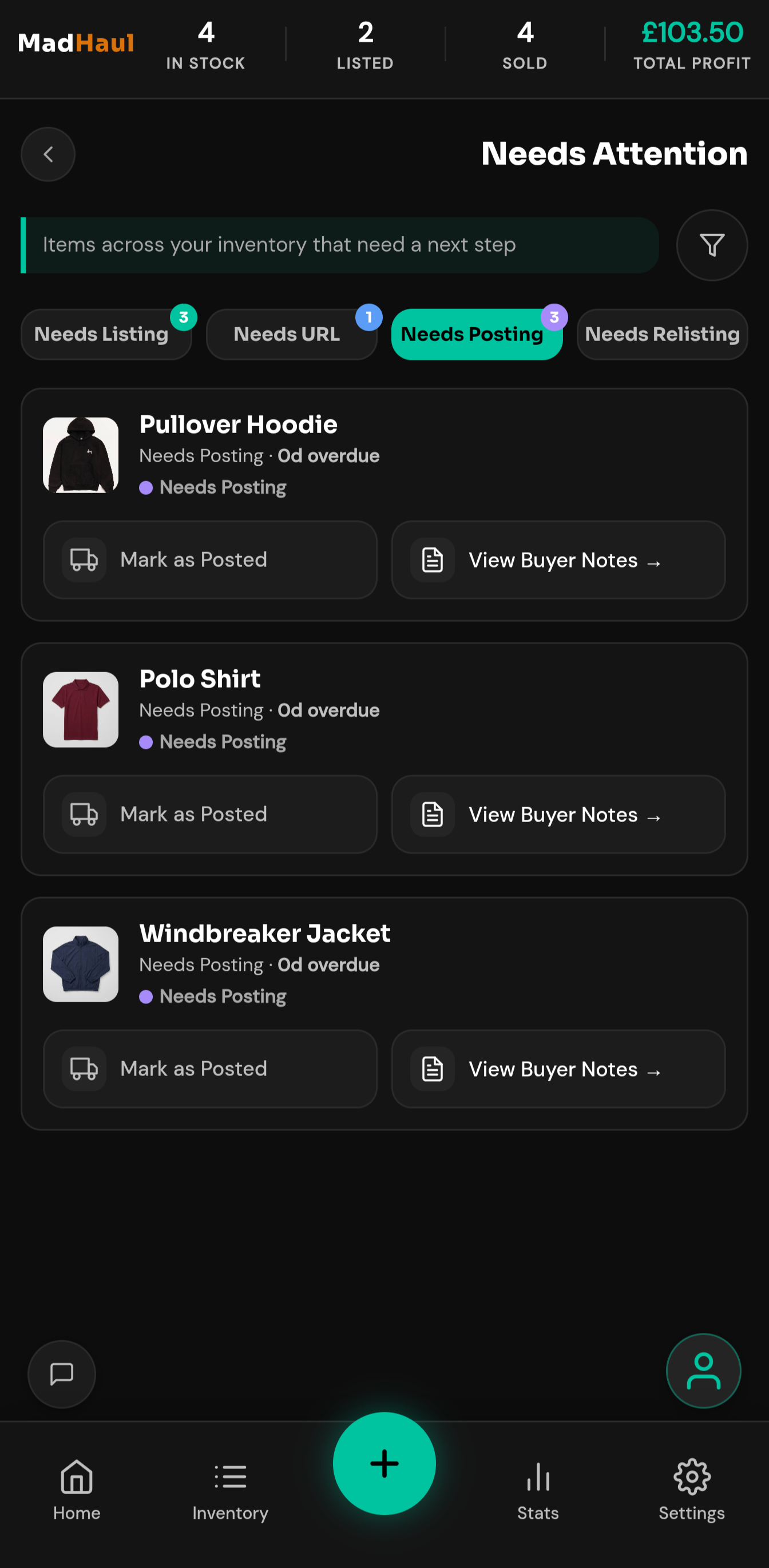
- It moves into the posting queue, so it doesn’t sit in a bag waiting to be sent. Mark it posted from the row when it’s gone.
- Anything listed a while without selling turns up in the relisting queue, after however many days you set. Three is the default.
In short
Three steps, then repeat.
-
Photograph it
The scan fills in the details. Correct anything it got wrong, add what you paid, save.
-
Generate the listing
Copy the title, description and hashtags across to the marketplace yourself. Save the URL when it’s live.
-
Mark it sold
The profit lands in your stats, and the item moves to the posting queue so it doesn’t get forgotten.
Just so it’s clear
What MadHaul doesn’t do.
Worth being blunt about, because it’s the question people ask first.
It doesn’t post for you
MadHaul does not post, automate, or interact with any marketplace on your behalf. It has no marketplace login and holds no credentials. You copy and paste, every time, and nothing goes live that you didn’t put there.
It isn’t connected to any marketplace
It’s an independent tool, not affiliated with, endorsed by or connected to Vinted, eBay, Facebook Marketplace, Depop, Gumtree or Shpock. The listing URLs it stores are links you pasted in yourself.
It doesn’t look up prices
Price figures are estimates from an AI model’s own knowledge — not market data, not sold listings, not a live feed. A second opinion on what something’s worth, and it can be wrong.
It doesn’t do your tax
Profit, margin and ROI are arithmetic on the numbers you type in. Useful for deciding what to buy; not financial, accounting or tax advice.
Away from signal
Most of it works offline.
Church hall with no bars, a basement car boot sale. Viewing and searching your inventory, adding and editing items by hand, photos, bundles, the sourcing calculator, stats, the activity log and exports all carry on with no connection at all.
Three things need a connection: the AI features, signing in, and Google Drive backup. Offline, the app tells you that plainly instead of failing in a way you have to guess at.
MadHaul installs to your home screen from the browser — there’s no app store to go through.